
All products now have code in the product page that google can read. However you have to set up to allow your products on google shopping for this to work.
1. Ensure you have a business profile - https://business.google.com/en-all/business-profile/
2. Create a google merchant centre account - https://support.google.com/merchants/answer/12159157
3. Create your shipping rules in merchant centre.
4. Once complete re log in 24 hours later and check the products are coming in
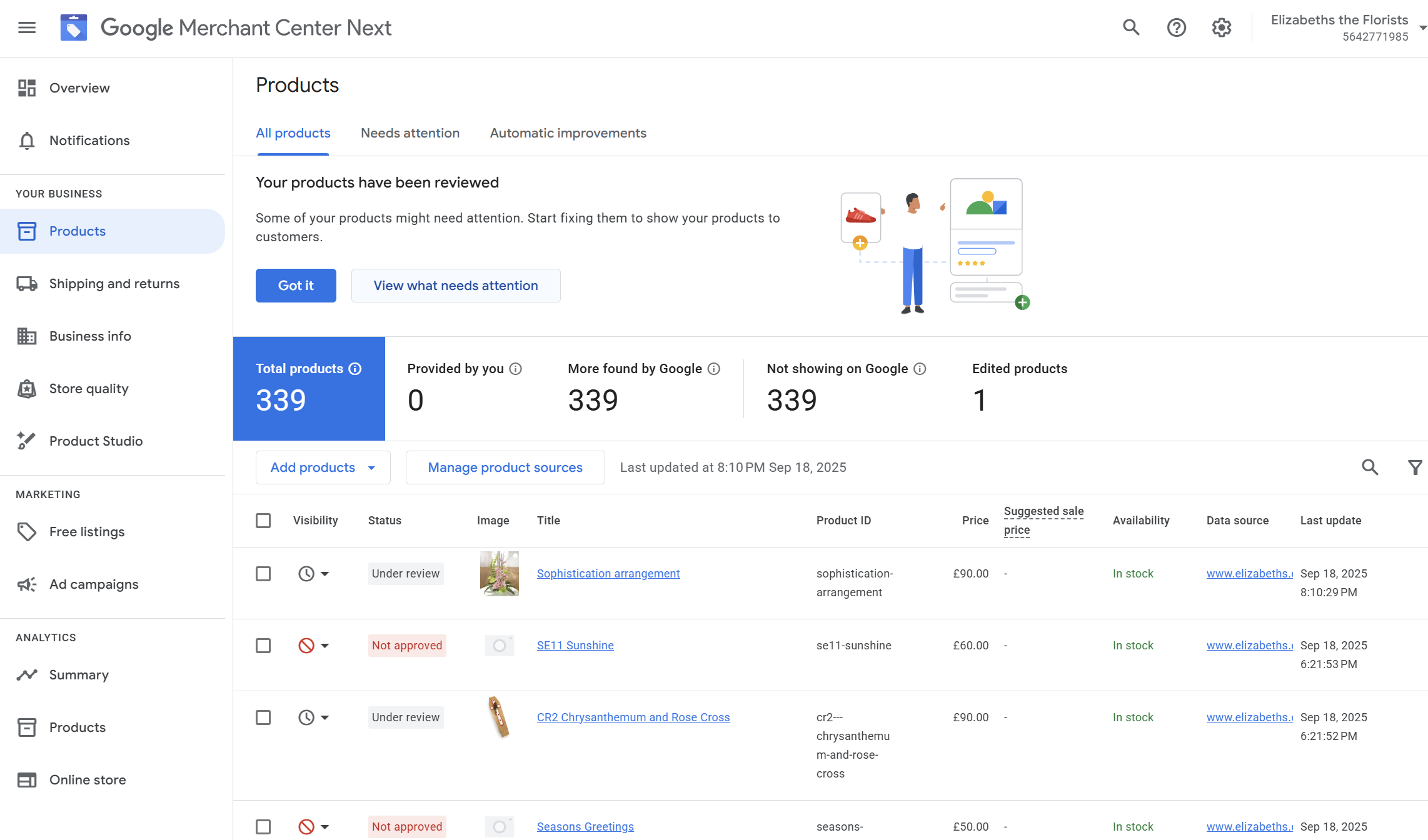
IMPROVING PRODUCTS to increase click potential
Ensure good names, product descriptions, images etc per product
Tim testing if the product name includes flower bouquet or location help
Also see :-
https://omnitail.net/improve-your-google-shopping-ctr/
https://support.google.com/merchants/answer/7380908?hl=en-GB
- Use clear, high-resolution images that showcase the product and meet Google's specifications. Avoid watermarks or text on images.
- Include essential information like brand, size, color, and gender in your titles to improve relevance and attract clicks.
- Provide comprehensive descriptions with keywords that sell the product and answer customer questions upfront.
- Ensure all data in your product feed, such as GTINs, prices, and availability, is complete and up-to-date.
- Use negative keywords to exclude irrelevant searches, which helps prevent wasted spend and drives more qualified clicks.
- Set up your campaigns with a "Maximize Clicks" bid strategy and a CPC bid limit to control costs while driving clicks.
- Organize your campaigns and ad groups to effectively target products with the highest potential or those that need more attention.
- Add the Seller Rating Extension to show star ratings and reviews, which can significantly boost click-through rates and build trust.
- Google Merchant Center's new "click potential" metric helps you understand which products perform well based on their details and past traffic.
- Regularly review your campaign and product performance to identify winners and losers, allowing you to adjust your